Hiển thị các bài đăng có nhãn Hệ điều hành. Hiển thị tất cả bài đăng

Share Full giáo trình công nghệ thông tin của Đại học Bách Khoa

Toàn bộ giáo trình ĐH Bách Khoa 5 năm ngành CNTT (Tiếng Việt)
Nội dung của giáo trình này gồm:

  • .Đồ án CNTT
  • .Cấu trúc máy tính
  • .Cơ bản
  • .Công nghệ phần mềm
  • .Đồ họa máy tính
  • .Giải thuật
  • .Giáo trình C#
  • .Giáo trình C,C++
  • .Giáo trình Java
  • .Hệ điều hành
  • .Kĩ thuật vi xử lý
  • .Lý thuyết hướng đối tượng
  • .Phân tích thiết kế hệ thống
  • .SQL server
  • .Trình biên dịch
Trong mỗi phần bao gồm bài giảng,tài liệu tham khảo và đề thi tham khảo
Link: http://www.mediafire.com/download/6lxxb1u84ndubwu/Chuyen+Nganh+IT.rar

[SHARE] Tổng hợp một số Ebook hay của HACKERVNN


Hôm nay lục PC thấy mớ ebook của HVN ngày trước nên up lên cho ai cần. Có một số ebook rất hay. P/S: Do để cũng lâu r nên không biết link có die hay không nữa @@
Athena-TailLieu-Sudung-BackTrack-KiemTra-AnNinhMang http://www.mediafire.com/?4yeb9q867rpie1f 
Cách tạo mật khẩu an toàn http://www.mediafire.com/?3sbaib5v34a0c9i 
Bảo mật_ phân tích lỗi_ WinXP _ Win Sever 2003 http://www.mediafire.com/?cqdcjwfadinngpv 
 Bảo mật cho hệ thống mạng của công ty chứng khoán http://www.mediafire.com/?cqdcjwfadinngpv  CEH_Lab_Book_Tiếng_Việt_phần 1 http://www.mediafire.com/?lwsx611x7pz02yi C  EH_Lab_Book_Tiếng_Việt_phần 2 http://www.mediafire.com/?wmo09tcr38796su  CEH_Lab_Book_Tiếng_Việt_phần 3 http://www.mediafire.com/?xt4d7uxxzgx0ty1  Ebook_viết_code_khai_thác_exploit 1 http://www.mediafire.com/?ixu46x1yg78srik  Ebook_viết_code_khai_thác_exploit 2 http://www.mediafire.com/?7m30cs92ssodl1j  
HackerVN Hack FAQ http://www.mediafire.com/?7ld2bg7pnxcd2c7  Giáo trình PASCAL http://www.mediafire.com/?738md24f3h93kf9 
Hack Wireless http://www.mediafire.com/?ee8zlnv5vbzhg64 
 Kỹ Năng bảo mật WinXP http://www.mediafire.com/?ch8nv44xd8ii34u 
 Hacking With Experts 3 (Facebook Hacking) http://www.mediafire.com/?idcxx25fmj7qwj1/  
Xâm nhập máy tính http://www.mediafire.com/?d5f32d5t9sgoxp1  
Website Hacking http://www.mediafire.com/?507547f5j9x9roy  
SYSTEM HACKING http://www.mediafire.com/?o3nn8twgrnud3w8  
Tài liệu hướng dẫn sử dụng BackTrack 5 http://www.mediafire.com/?1tmb1h116qa5zqh  Tấn_công_và_bảo_vệ_hệ_thống http://www.mediafire.com/?8ds4s9ac4bn9y69 Security  
Toan tap Version 1.1 2012 http://www.mediafire.com/?xq5gwzfdm39tcrg  
Syngress - Writing Security Tools and Exploits http://www.mediafire.com/?dmgd4bp6sn67bdb  
Ninja Hacking - Unconventional Penetration Testing Tactics and Techniques http://www.mediafire.com/?yg1betl9ok9hesm  
Become Hacker http://www.mediafire.com/?96gzf9ma65e5g1a/  
[Sổ tay] Thủ thuật_registry http://www.mediafire.com/?bkv3co9j9gygj4o/  
Sổ tay làm Ebook 1.0 http://www.mediafire.com/?7fi3gwckvmm4p3j/  
[Sổ tay] VietHoaPhanMem 1.0 http://www.mediafire.com/?5aao920hb13a27l/ 
 [Sổ tay] Phần mềm việt http://www.mediafire.com/?okl94n4sxnenb7/  
[Sổ tay] Thuật ngữ tin học http://www.mediafire.com/shdu8nvw36gda3b/  
[Sổ tay] làm Forum VBB 1.0 http://www.mediafire.com/?p2u685a9pmd13c3/  Những_cuộc_trò_chuyện_của_Rootkie http://www.mediafire.com/?x0r9m0fm0wturcy  
Hack + Crack = Enjoy http://www.mediafire.com/?dcx09h29hroj7uw  
Sổ tay làm forum http://www.mediafire.com/?36a8owhdzoy2pya  
Ebook máy tính http://www.mediafire.com/?0dbd4tx9c412ctw  
Sổ tay phím tắt Windows http://www.mediafire.com/?15dq7jzcyeob97  
Sổ tay lập trình 2.0 http://www.mediafire.com/?sc0870tl2issdoz/  Sổ tay tin học 2.0 http://www.mediafire.com/?o9zd7ocfnw7mzzz/  
Sổ tay phần cứng 1.0 http://www.mediafire.com/?fn9omxl6oqmllrp  
Sổ tay Lênh DOS http://www.mediafire.com/?2fett4gdv808j12  
Sổ tay kĩ thuật phần cứng http://www.mediafire.com/?iiscc2cahc3ytkh  
Sổ tay lập trình CSharp http://www.mediafire.com/?3m91fl39qlgipjj  
Sổ tay Corel Draw http://www.mediafire.com/?8mnx8db8vp5rtmr  
Sổ tay người dùng internet http://www.mediafire.com/?kgrfyoj11azpzxn  
Sổ tay sử dụng phần mềm http://www.mediafire.com/?mq51nt8vgk13ia2  
Sổ tay photoshop 2007 http://www.mediafire.com/?r223v778gqam0a0  
Sổ tay thủ thuật http://www.mediafire.com/?7w2113suybfbqtb/  
Sổ tay lập trình 1.0 http://www.mediafire.com/?rxdszd00h5cbez3/  
Sổ tay PortableSoftwares 1.0 http://www.mediafire.com/?aq885j6856r3523/  
Sổ tay Internet 4.1 http://www.mediafire.com/?pqv85m621mwiqyx  
Sổ tay Hacker 1.0 http://www.mediafire.com/?6xncnejy44oyhnx/  
Sổ tay SEO http://www.mediafire.com/?apmr9io5q62rpvd/  
Sổ tay Crack 1.0 http://www.mediafire.com/?eppbd05ebwdxdso/  
Kỹ thuật hack http://www.mediafire.com/?pu56hrdoyikhe35  
Đồ Án Tấn Công DDOS http://www.mediafire.com/?2atapt1p4ozi763/  
Ebook Hacker by HVA http://www.mediafire.com/?0u71msg50kjzvba/  
Tổng hợp hack và bảo mật http://www.mediafire.com/?94g40xgyzg0bzyp  
Cách đăng nhập vào mọi diễn đàn mà k cần acc http://www.mediafire.com/?3n4y7jztw5iav6w  
Hack thời gian ngồi quán net http://www.mediafire.com/?4w4dejnz7e8jdwa  
sử dụng Google như 1 công cụ hack http://www.mediafire.com/?vyfeufcxihj79ru  
Code Notepad http://www.mediafire.com/?nwnav5a6u3sdsu2  
Code Notepad 2 http://www.mediafire.com/?63n5spa4rxws0r3  
Một số thủ thuật FaceBook có thể bạn muốn biết http://www.mediafire.com/?eszm53gw8hox8h8  
kỹ thuật attack một website http://www.mediafire.com/?w96szygnc0i45aj  
Hacking http://www.mediafire.com/?vu4auj00omjmoqy 
cách dowload file trên Medifire khi bị blockd, error http://www.mediafire.com/?5b91abaaaal784a  
Tổng hợp các công cụ cho Hacking & Security http://www.mediafire.com/?e2qz8mx8tf0nnoj/  
Cùng Quậy Với Notepad http://www.mediafire.com/?llzf2urhhdca241/  
Tấn Công 1 trang web, Hack pass mạng LAN http://www.mediafire.com/?ikf3qfysu9dxuq2  
Tạo, bảo mật 1 mật khẩu mạnh mẽ http://www.mediafire.com/?6jiknuw96y72sd9/  
Nghệ Thuật Tận Dụng Lỗi Phần Mềm http://www.mediafire.com/?6adcks7xt8inqc8  
Ebook Tự Học SQL http://upfile.vn/624d2d  
Thủ thuật Registry (Windows) http://upfile.vn/d17890  
Đồ án Local Attack https://www.mediafire.com/?bb83zmolechwr6o  
Ebook Tự học SQL https://www.mediafire.com/?5f8dfdzehe4bdad  
Tài liệu về địa chỉ IP - Tiếng Việt https://www.mediafire.com/?5uszb46m68e2awp  
13 Ebooks về HackerHighSchool https://www.mediafire.com/?by49lzw00udqmpg  Wordlist https://www.mediafire.com/?x324ct11a0s39v6  
Cracking for NEWBIE 2010 http://www.mediafire.com/?07fwtmgn6vjm7nh/  
Cracking_Passwords_Guide http://www.mediafire.com/?w0nmmn01stacbkk/  
Ebook-sqlinjection http://www.mediafire.com/?p8xb8rw0ca9suio/  
Hacking cổ điển http://www.mediafire.com/?w9k2tlq7g1l1k65/  
hướng dẫn sử dụng GODWILL để gắn trojan vào trang web http://www.mediafire.com/?a398tnq3c6rq93g/  
Phòng Ngừa Virus Flame http://www.mediafire.com/?2oqg7s52l0qtn1l/  
BM_virus huyền thoại hay thực tế https://www.mediafire.com/?5o43dj84i0usyzc/  
Xâm nhập PC khác khi đang online http://www.mediafire.com/?afqq6cod1vu8iea/

Luxury Iconpack by Khatmau_sr - Thay đổi giao diện windows 7 thật đẹp

Mọi người vẫn thường biết tới Khatmau_sr và cái tên Luxury qua các bản ghost, hôm nay mình chia sẻ với các bạn bộ Luxury Megapack installer do chính tay mình làm. Ghost có cái hay là tiện lợi, chi tiết hơn iconpack nhưng nó lại hay gặp những lỗi nhỏ và nặng hơn iconpack installer rất nhiều. Gói giao diện này cài đặt và gỡ bỏ rất nhanh chóng, tiện lợi. Chỉ trong vài phút toàn bộ giao diện Windows sẽ được đổi thay hoàn toàn, khoác 1 bộ áo mới cực đẹp. Sau 1 số bộ Luxury Iconpack đã phát hành, cuối cùng Khatmau đã làm bộ Luxury Megapack này. Ưu điểm của nó là giao diện đẹp, dễ sử dụng, thay đổi giao diện windows tự động chỉ với 1 Click.

Chân thành cảm ơn Robi, Fiazi, alexgal, trinhbaphap, anh em KtvOnline...đã giúp đỡ Khatmau_sr hoàn thiện sản phẩm.

[​IMG]

  • Bạn phải tắt UAC, Antivirus trước khi chạy bộ Megapack này, nếu không sẽ lỗi khi chạy Luxury Iconpack.
  • Click vào lần lượt 3 dòng "Install..." Khi các tiến trình làm việc xong bạn hãy khởi động lại máy để xem được toàn bộ thay đổi nhé!
  • Khi nào chán muốn gỡ bỏ thì cứ gỡ bỏ như 1 phần mềm bình thường nhé!
[​IMG]

:sh:
Dưới đây là những hình ảnh sau khi sử dụng Luxury Megapack
[​IMG]


Ngoài ra còn đính kèm thêm 1 số tool giúp thay đổi Theme winrar, Themes trong suốt, gadget...
Hãy tải về khám phá và tận hưởng vẻ đẹp Luxury này nhé!

:dl:
http://4share.vn/f/3407000405070007/LuxuryMegapack.rar
https://www.mediafire.com/folder/bda0aaflrn93m//LuxuryMegapack

Thiết lập và làm quen với Cortana - trợ lý ảo của Microsoft


Một tính năng thú vị mà Windows 10 mang tới cho người dùng là trợ lý ảo Cortana. Hãy cùng chúng tôi làm quen với cô nàng qua từng bước: kích hoạt Cortana, dạy nàng chỉ nghe lệnh của bạn, và sử dụng Cortana để hỗ trợ khi lướt web.
Cortana là gì?

Cortana là trợ lý ảo của Microsoft dành cho hệ điều hành Windows với chức năng tương tự như Siri trên iOS hay Google Now trên Android. Bạn chỉ cần ra lệnh bằng giọng nói, Cortana sẽ thực hiện một cách nhanh chóng và đơn giản. Đây thực sự là một tính năng tốt đối với những bạn đang học ngoại ngữ. Hiện tại, Cortana mới chỉ hiểu được một số ngôn ngữ sau: tiếng Anh (Anh-Mỹ), tiếng Trung, tiếng Pháp, tiếng Ý, tiếng Đức và tiếng Tây Ban Nha.
Cùng “gọi” Cortana

Nhấn tổ hợp Windows + C để gọi Cortana
Nhấn tổ hợp Windows + C để gọi Cortana

Có hai cách để gọi Cortana. Cách đầu tiên, bạn bấm tổ hợp Windows + C và ra lệnh cho Cortana.
Hoặc nói “Hey, Cortana”
Hãy nói từ khóa “Hey, Cortana” và đi kèm câu lệnh, ví dụ “Hey, Cortana. What is the date today?” (Hôm nay là thứ mấy, ngày mấy). Để bật chức năng này, hãy bấm chuột vào trường text của Cortana và bảng điều khiển sẽ hiện lên. Trong thanh bên cạnh, click vào Notebook icon > Settings > Hey, Cortana và chọn On.

Làm cho Cortana luôn sẵn sàng bằng câu lệnh Hey, Cortana
Làm cho Cortana luôn sẵn sàng bằng câu lệnh “Hey, Cortana”

Khi sử dụng laptop mà không cắm sạc, để tiết kiệm pin bạn có thể tắt chức năng này. Nhưng nếu vậy mỗi lần cần gọi Cortana bạn phải sử dụng tổ hợp Windows + C như đã nói ở trên.
Dạy Cortana chỉ lắng nghe mình bạn
Vấn đề duy nhất với câu “Hey, Cortana” đó là bất cứ ai cũng có thể hô lên câu thần chú đó và lập tức trợ lý ảo của bạn sẽ xuất hiện. Để khiến Cortana chỉ lắng nghe mình bạn, hãy vào phần thiết lập của Cortana (Notebook icon > Settings >), bên dưới phần Respond best, chọn Just me. Sau đó bạn sẽ dạy Cortana bằng một bài tập nhỏ để nàng học cách nhận ra giọng nói của bạn.

Khiến Cortana chỉ trung thành với bạn mà thôi

Ra lệnh cho Cortana
Nếu bạn đã từng sử dụng Siri hay Google Now hoặc Cortana trên điện thoại thì việc ra lệnh cho Cortana trên PC không mấy khác biệt.

Hỏi Cortana xem tình hình giao thông có thuận lợi không?

Hãy thử ra lệnh cho vị trợ lý ảo này tìm kiếm thông tin về thời tiết “How’s the weather today?” (Thời thiết hôm nay thế nào) hoặc tìm kiếm trên Web, lên lịch hẹn cho thời gian biểu của bạn hoặc gửi một email.
Tìm tập tin ở một khoảng thời gian hoặc vị trí nhất định
Một trong những tính năng hấp dẫn nhất của Cortana đó là tìm kiếm tập tin. Bạn có thể hỏi Cortana “Find photos I took in November 2014” (Tìm các bức ảnh chụp vào tháng 11/2014) và lập tức nàng sẽ lọc trong thư viện ảnh và đưa ra cho bạn những bức hình có ngày chụp trong tháng 11.

Nhờ Cortana tìm file theo thời gian

Bạn cũng có thể ra lệnh tương tự để tìm các loại tập tin khác như văn bản, video, ca nhạc…
Tùy biến bảng điều khiển
Ngoài việc trả lời các mệnh lệnh bằng giọng nói, Cortana còn có một tính năng có thể gọi là “bảng điều khiển”. Nó hoạt động giống như Google Now, cung cấp các tin tức hàng ngày, thông tin thời tiết, đưa ra các đề xuất: nhà hàng, rạp chiếu phim và thậm chí cả thông tin về các chuyến bay, các bưu kiện sắp tới của bạn.

Bạn có thể tinh chỉnh nhiều thứ trong bảng điều khiển để có được thông tin phù hợp nhất với mình

Để tùy biến bảng điều khiến, click vào trường text của Cortana, vào phần Notebook, mỗi mục có một vài lựa chọn, bạn có thể thêm các lựa chọn tùy biến theo ý thích.
Cortana khi duyệt Web
Mặc dù phần lớn thời gian bạn sẽ sử dụng Cortana trên máy tính nhưng vị trợ lý này cũng có thể hỗ trợ bạn khi bạn sử dụng trình duyệt Microsoft Edge.

Cortana giúp bạn có được thông tin chính xác về các địa điểm yêu thích

Có hai cách để gọi Cortana trên Web. Cách thứ nhất, khi tìm kiếm một địa điểm, nhà hàng, bạn sẽ thấy biểu tượng Cortana ở thanh trên đầu màn hình. Click vào đó, và nàng sẽ giúp bạn có thêm thông tin như giờ mở cửa, ảnh, đánh giá…

Bạn chỉ việc bôi chữ, tìm kiếm cứ để Cortana lo

Cách thứ hai để gọi Cortana trên web đó là bôi đen một chữ (ví dụ như tên riêng một người), phải chuột vào dòng chữ đó và chọn “Ask Cortana” (hỏi Cortana). Chỉ trong tích tắc, Cortana sẽ mang về mọi thông tin về cái tên được bạn bôi đậm, thậm chí cả những bài báo liên quan.

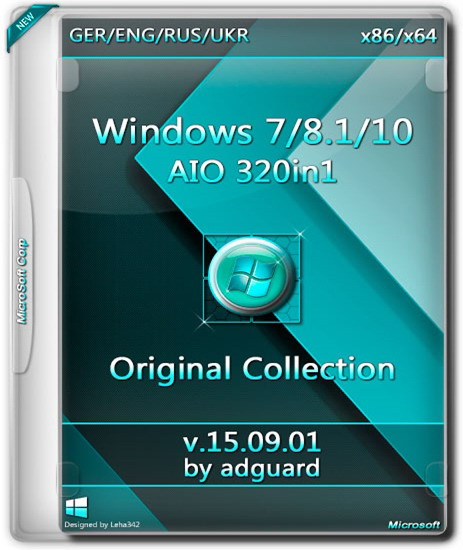
Windows 7-8.1-10 AIO -320in1- by adguard - Bộ cài cực khủng


The most popular operating system is always at hand!
The assembly is designed for those who do not like the build with updates from Microsoft. Recently, Microsoft began adding telemetry with distributions that are not very good. Now the assembly. It is based on the original image from the MSDN integrated Russian, Ukrainian, English, German and included Net Framework 3.5 (includes .NET 2.0 and 3.0).

Main features:

  • Integrated Language Packs: Russian, Ukrainian, English, German.
  • Updates are not integrated.
  • Systems were in audit mode.
  • All the changes made by standard means of Microsoft.
  • Integrated NET Framework 3.5 (includes .NET 2.0 and 3.0) systems Windows 8.1 and Windows 10.
  • After installation on the system disk will be created a folder with additional material. Folder "Activators" contains several different activators for the system.
  • This assembly has passed rigorous testing and checked for errors and bugs.

[​IMG]

Windows 7 SP1 -104in1-:

  • Windows 7 Starter (32-bit) - Russian, Ukrainian, English, German
  • Windows 7 Starter N (32-bit) - Russian, Ukrainian, English, German
  • Windows 7 Home Basic (32-bit) - Russian, Ukrainian, English, German
  • Windows 7 Home Basic (64-bit) - Russian, Ukrainian, English, German
  • Windows 7 Home Basic N (32-bit) - Russian, Ukrainian, English, German
  • Windows 7 Home Basic N (64-bit) - Russian, Ukrainian, English, German
  • Windows 7 Home Premium (32-bit) - Russian, Ukrainian, English, German
  • Windows 7 Home Premium (64-bit) - Russian, Ukrainian, English, German
  • Windows 7 Home Premium N (32-bit) - Russian, Ukrainian, English, German
  • Windows 7 Home Premium N (64-bit) - Russian, Ukrainian, English, German
  • Windows 7 Professional (32-bit) - Russian, Ukrainian, English, German
  • Windows 7 Professional (64-bit) - Russian, Ukrainian, English, German
  • Windows 7 Professional N (32-bit) - Russian, Ukrainian, English, German
  • Windows 7 Professional N (64-bit) - Russian, Ukrainian, English, German
  • Windows 7 Professional VL (32-bit) - Russian, Ukrainian, English, German
  • Windows 7 Professional VL (64-bit) - Russian, Ukrainian, English, German
  • Windows 7 Professional N VL (32-bit) - Russian, Ukrainian, English, German
  • Windows 7 Professional N VL (64-bit) - Russian, Ukrainian, English, German
  • Windows 7 Ultimate (32-bit) - Russian, Ukrainian, English, German
  • Windows 7 Ultimate (64-bit) - Russian, Ukrainian, English, German
  • Windows 7 Ultimate N (32-bit) - Russian, Ukrainian, English, German
  • Windows 7 Ultimate N (64-bit) - Russian, Ukrainian, English, German
  • Windows 7, Enterprise (32-bit) - Russian, Ukrainian, English, German
  • Windows 7, Enterprise (64-bit) - Russian, Ukrainian, English, German
  • Windows 7 Enterprise N (32-bit) - Russian, Ukrainian, English, German
  • Windows 7 Enterprise N (64-bit) - Russian, Ukrainian, English, German
[​IMG]

Ingredients version Windows 8.1 with Update 3 -80in1-:

  • Windows 8.1 with Update 3 - 80in1
  • Composition versions:
  • Windows 8.1 Single Language (32-bit) - Russian, Ukrainian, English, German
  • Windows 8.1 Single Language (64-bit) - Russian, Ukrainian, English, German
  • Windows 8.1 Core (32-bit) - Russian, Ukrainian, English, German
  • Windows 8.1 Core (64-bit) - Russian, Ukrainian, English, German
  • Windows 8.1 Core N (32-bit) - Russian, Ukrainian, English, German
  • Windows 8.1 Core N (64-bit) - Russian, Ukrainian, English, German
  • Windows 8.1 Professional (32-bit) - Russian, Ukrainian, English, German
  • Windows 8.1 Professional (64-bit) - Russian, Ukrainian, English, German
  • Windows 8.1 Professional N (32-bit) - Russian, Ukrainian, English, German
  • Windows 8.1 Professional N (64-bit) - Russian, Ukrainian, English, German
  • Windows 8.1 Professional VL (32-bit) - Russian, Ukrainian, English, German
  • Windows 8.1 Professional VL (64-bit) - Russian, Ukrainian, English, German
  • Windows 8.1 Professional N VL (32-bit) - Russian, Ukrainian, English, German
  • Windows 8.1 Professional N VL (64-bit) - Russian, Ukrainian, English, German
  • Windows 8.1 Professional with Media Center (32-bit) - Russian, Ukrainian, English, German
  • Windows 8.1 Professional with Media Center (64-bit) - Russian, Ukrainian, English, German
  • Windows 8.1 Enterprise (32-bit) - Russian, Ukrainian, English, German
  • Windows 8.1 Enterprise (64-bit) - Russian, Ukrainian, English, German
  • Windows 8.1 Enterprise N (32-bit) - Russian, Ukrainian, English, German
  • Windows 8.1 Enterprise N (64-bit) - Russian, Ukrainian, English, German
Ingredients version Windows Embedded 8.1 with Update 3 -16in1-:

  • Windows Embedded 8.1 Industry Professional (32-bit) - Russian, Ukrainian, English, German
  • Windows Embedded 8.1 Industry Professional (64-bit) - Russian, Ukrainian, English, German
  • Windows Embedded 8.1 Industry Enterprise (32-bit) - Russian, Ukrainian, English, German
  • Windows Embedded 8.1 Industry Enterprise (64-bit) - Russian, Ukrainian, English, German

[​IMG]

The composition of the version of Windows 10 build 10240 -120in1-:

  • Windows 10 Home Single Language (32-bit) - Russian, Ukrainian, English, German
  • Windows 10 Home Single Language (64-bit) - Russian, Ukrainian, English, German
  • Windows 10 Home (32-bit) - Russian, Ukrainian, English, German
  • Windows 10 Home (64-bit) - Russian, Ukrainian, English, German
  • Windows 10 Home N (32-bit) - Russian, Ukrainian, English, German
  • Windows 10 Home N (64-bit) - Russian, Ukrainian, English, German
  • Windows 10 Pro (32-bit) - Russian, Ukrainian, English, German
  • Windows 10 Pro (64-bit) - Russian, Ukrainian, English, German
  • Windows 10 Pro N (32-bit) - Russian, Ukrainian, English, German
  • Windows 10 Pro N (64-bit) - Russian, Ukrainian, English, German
  • Windows 10 Pro VL (32-bit) - Russian, Ukrainian, English, German
  • Windows 10 Pro VL (64-bit) - Russian, Ukrainian, English, German
  • Windows 10 Pro N VL (32-bit) - Russian, Ukrainian, English, German
  • Windows 10 Pro N VL (64-bit) - Russian, Ukrainian, English, German
  • Windows 10 Education (32-bit) - Russian, Ukrainian, English, German
  • Windows 10 Education (64-bit) - Russian, Ukrainian, English, German
  • Windows 10 Education N (32-bit) - Russian, Ukrainian, English, German
  • Windows 10 Education N (64-bit) - Russian, Ukrainian, English, German
  • Windows 10 Education VL (32-bit) - Russian, Ukrainian, English, German
  • Windows 10 Education VL (64-bit) - Russian, Ukrainian, English, German
  • Windows 10 Education N VL (32-bit) - Russian, Ukrainian, English, German
  • Windows 10 Education N VL (64-bit) - Russian, Ukrainian, English, German
  • Windows 10 Enterprise (32-bit) - Russian, Ukrainian, English, German
  • Windows 10 Enterprise (64-bit) - Russian, Ukrainian, English, German
  • Windows 10 Enterprise N (32-bit) - Russian, Ukrainian, English, German
  • Windows 10 Enterprise N (64-bit) - Russian, Ukrainian, English, German
  • Windows 2015 Enterprise 10 LTSB (32-bit) - Russian, Ukrainian, English, German
  • Windows 2015 Enterprise 10 LTSB (64-bit) - Russian, Ukrainian, English, German
  • Windows 10 Enterprise N 2015 LTSB (32-bit) - Russian, Ukrainian, English, German
  • Windows 10 Enterprise N 2015 LTSB (64-bit) - Russian, Ukrainian, English, German
System requirements:

  • Processor: 1 GHz or more
  • RAM: 2 GB
  • Free hard drive space: 20 GB
  • Graphics card: graphics device Microsoft DirectX 9 or later
  • Additional requirements to use certain features
  • To use the touch features require tablet or monitor that supports multitouch
  • To access the Windows Store to download and run applications that require an active Internet connection and a screen resolution of at least 1024x768 pixels
  • To bind the application requires a screen resolution of at least 1366x768
Checksums:
CRC32: D2DDF135
MD5: 571ECCCE5DCE9B4E022A93A67A745A20
SHA-1: 750EAE61A48C8F1134FD53212B6A19AA5572F802
[​IMG]
[​IMG]
[​IMG]
[​IMG]
[​IMG]
[​IMG]
[​IMG]
[​IMG]
[​IMG]
[​IMG]


Tổng hợp link tải Windows Insider Preview Build 10532 phát hành ngày 28/8/2015


Windows 10 Insider Preview build 10532 Relaese Date: 28/8/2015
Phần mềm check mã SH1 MD5.SHA-1.CheckSum: https://www.fshare.vn/file/W9AG4VS4XZZO
Phần mềm tạo boot ra USB Rufus 2.2: https://www.fshare.vn/file/2P2V16GLACMS
Phần mềm tạo boot ra USB và DVD Windows 7 USB DVD Download Tool:https://www.fshare.vn/file/5R4X5OMSWVF6
-----------------------------------------------------------------------------------------------------------
Windows 10 Single Language Insider Preview build 10532 (x86) - DVD (English)
File: en_windows_10_home_singlelanguage_10532_x86_dvd.iso
Languages: English
SHA1: E98FDC8411C4F78266D97BE1839BC61B07A586B5
Fshare: https://www.fshare.vn/file/N7RX4HR8HIUF
----------------------------------------------------------------------------
Windows 10 Single Language Insider Preview build 10532 (x64) - DVD (English)
File: en_windows_10_home_singlelanguage_10532_x64_dvd.iso
Languages: English
SHA1: 9E7B578E8DB83DFC61D5937260898F310EEDCBF0
Fshare: https://www.fshare.vn/file/SFIZ6NERDC92
----------------------------------------------------------------------
Windows 10 Home Insider Preview build 10532 (x86) - DVD (English)
File: en_windows_10_home_10532_x86_dvd.iso
Languages: English
SHA1: 847BAB35FB39E7F780A8799FB17DC625CE69934B
Fshare: https://www.fshare.vn/file/CZLSWUCUZ4C2
-----------------------------------------------------------------------
Windows 10 Home Insider Preview build 10532 (x64) - DVD (English)
File: en_windows_10_home_10532_x64_dvd.iso
Languages: English
SHA1: A0A9B47D34D7ECFC0DEC4C0BF0F76A3A3C129038
Fshare: https://www.fshare.vn/file/RIXVBPCB94GN
-----------------------------------------------------------------------
Windows 10 Pro Insider Preview build 10532 (x86) - DVD (English)
File: en_windows_10_pro_10532_x86_dvd.iso
Languages: English
SHA1: 1FA3FAF96D075941DF62B867BD64093BEBDFA3D2
Fshare: https://www.fshare.vn/file/58G9PJ771DEO
Mega: https://mega.nz/#!jshCWYyB!zgG4ynoj99xCS1B6YkZErOYmND5MVVD5pkBge_KgWoI
-----------------------------------------------------------------------
Windows 10 Pro Insider Preview build 10532 (x64) - DVD (English)
File: en_windows_10_pro_10532_x64_dvd.iso
Languages: English
SHA1: 6F7BB46A0F727BB6E8B27AEC9A5430F879699362
Fshare: https://www.fshare.vn/file/O8RUPO469HFF
Mega: https://mega.nz/#!rtIChL4I!0BLCl2S404tRiQcIrKLvSTK9ibI6bG--1dLfcffpiFE
----------------------------------------------------------------------------
Windows 10 Enterprise Preview build 10532 (x86) - DVD (English)
File: en_windows_10_enterprise_10532_x86_dvd.iso
Languages: English
SHA1: 83C29D474947092B2BA6253476BD91F5758FB016
Fshare: https://www.fshare.vn/file/R3VT78CRK9BI
Mega: https://mega.nz/#!jxgBFKpD!yxwuWkaj67l0qj0eoL8MR8Hu42Ur6BqOPmiRAKako4w
----------------------------------------------------------------------------
Windows 10 Enterprise Insider Preview build 10532 (x64) - DVD (English)
File: en_windows_10_enterprise_10532_x64_dvd.iso
Languages: English
SHA1: 1F1344FFD9F08667FDD6E287E643F45E0058DEEB
Fshare: https://www.fshare.vn/file/342P44X6PUS7
Mega: https://mega.nz/#!b1QVUZpA!aC6HSvlcBET5ITG1c0LXcYB4zK7ItoVNehn_VKR0x1A